SAMPLE MANAGER PRO
Organize, Edit, and Create with your samples. All in one app.
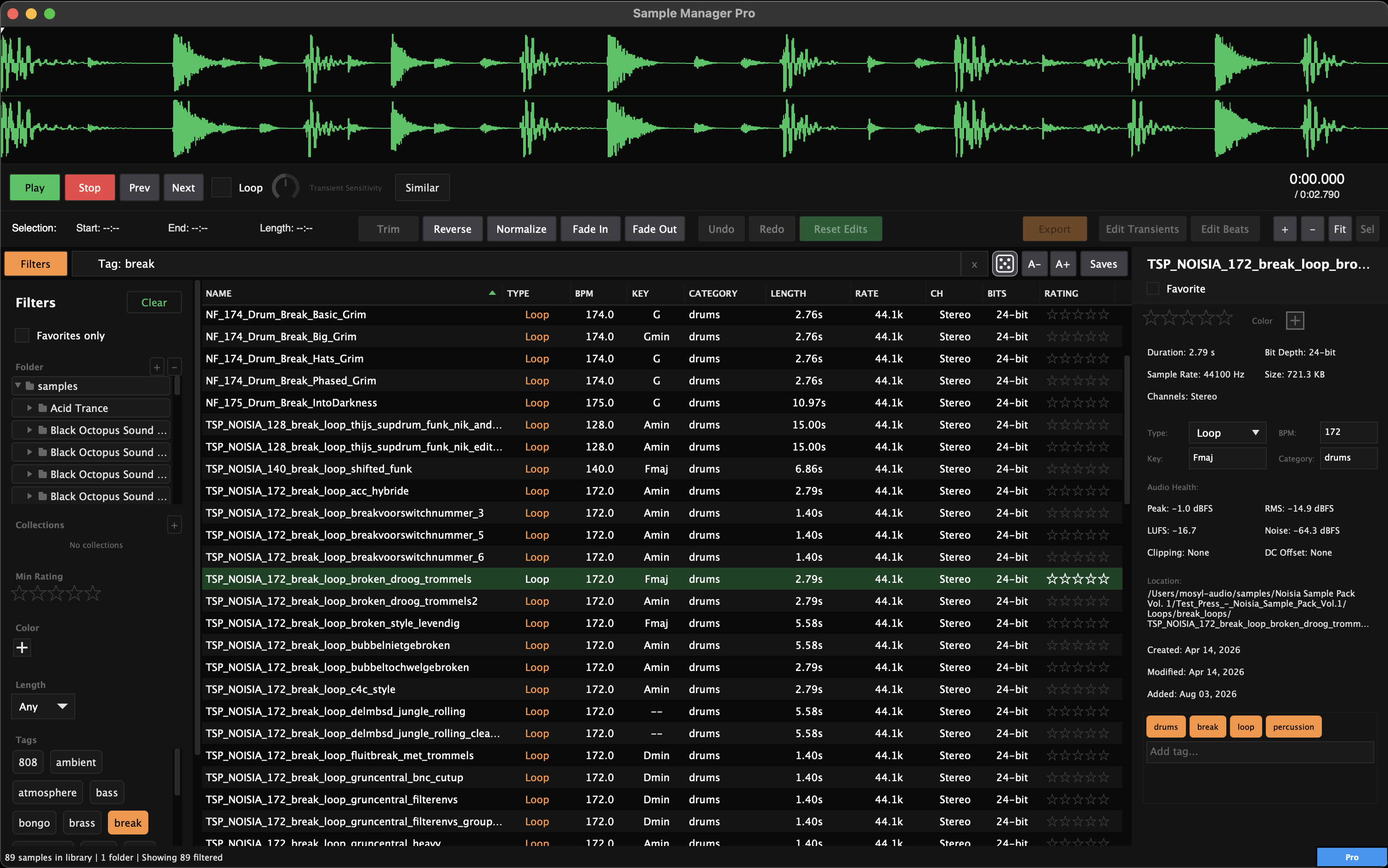
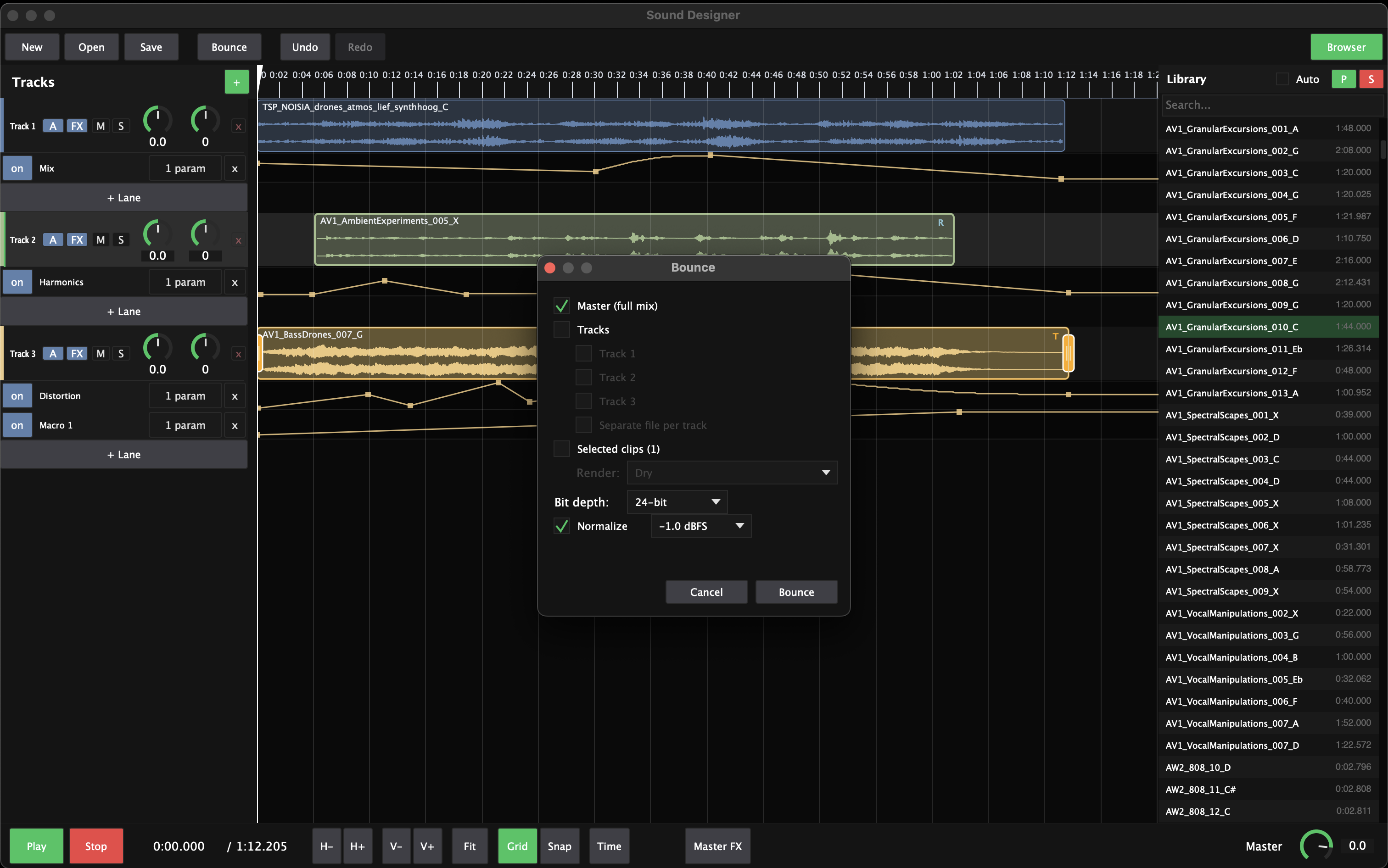
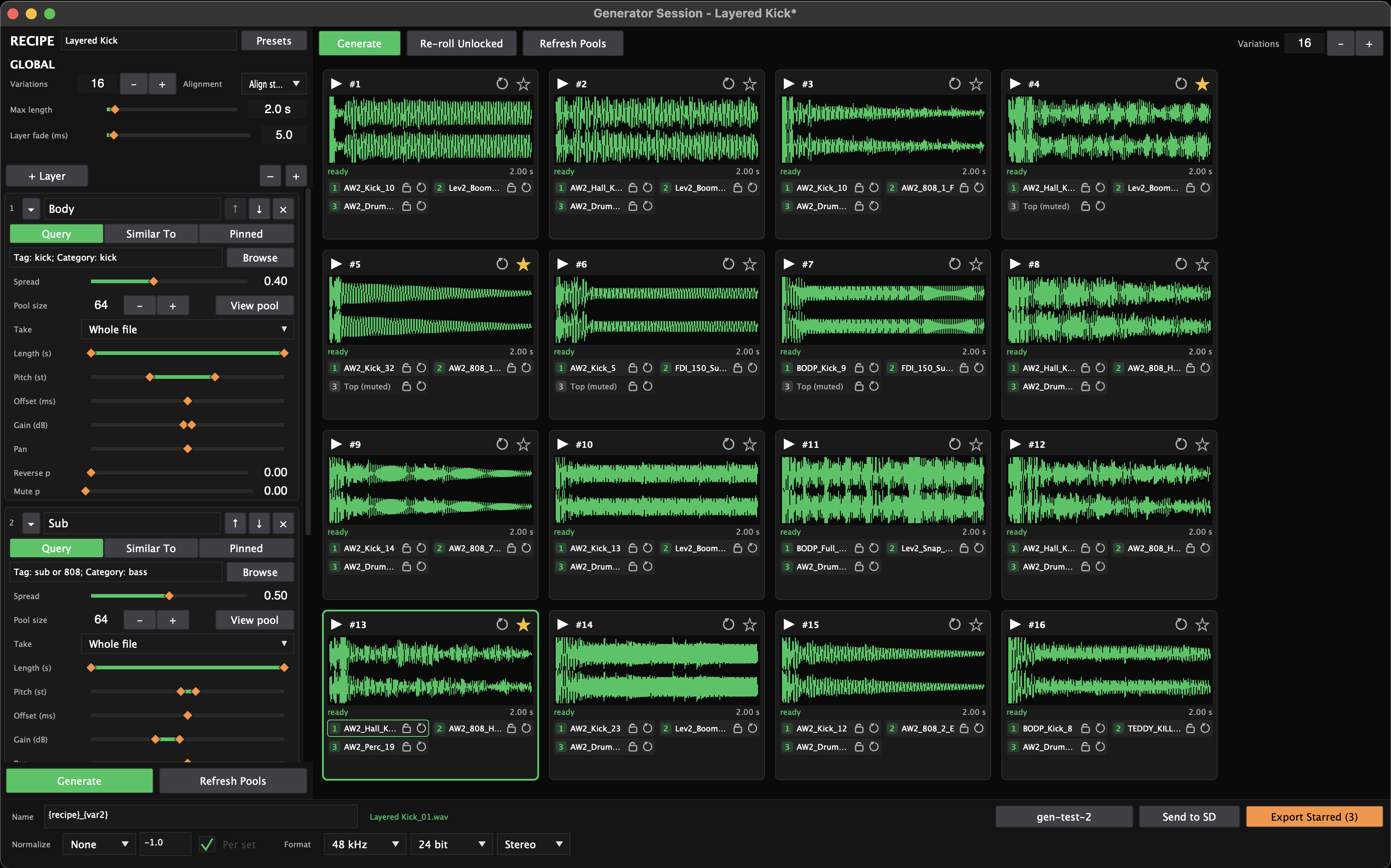
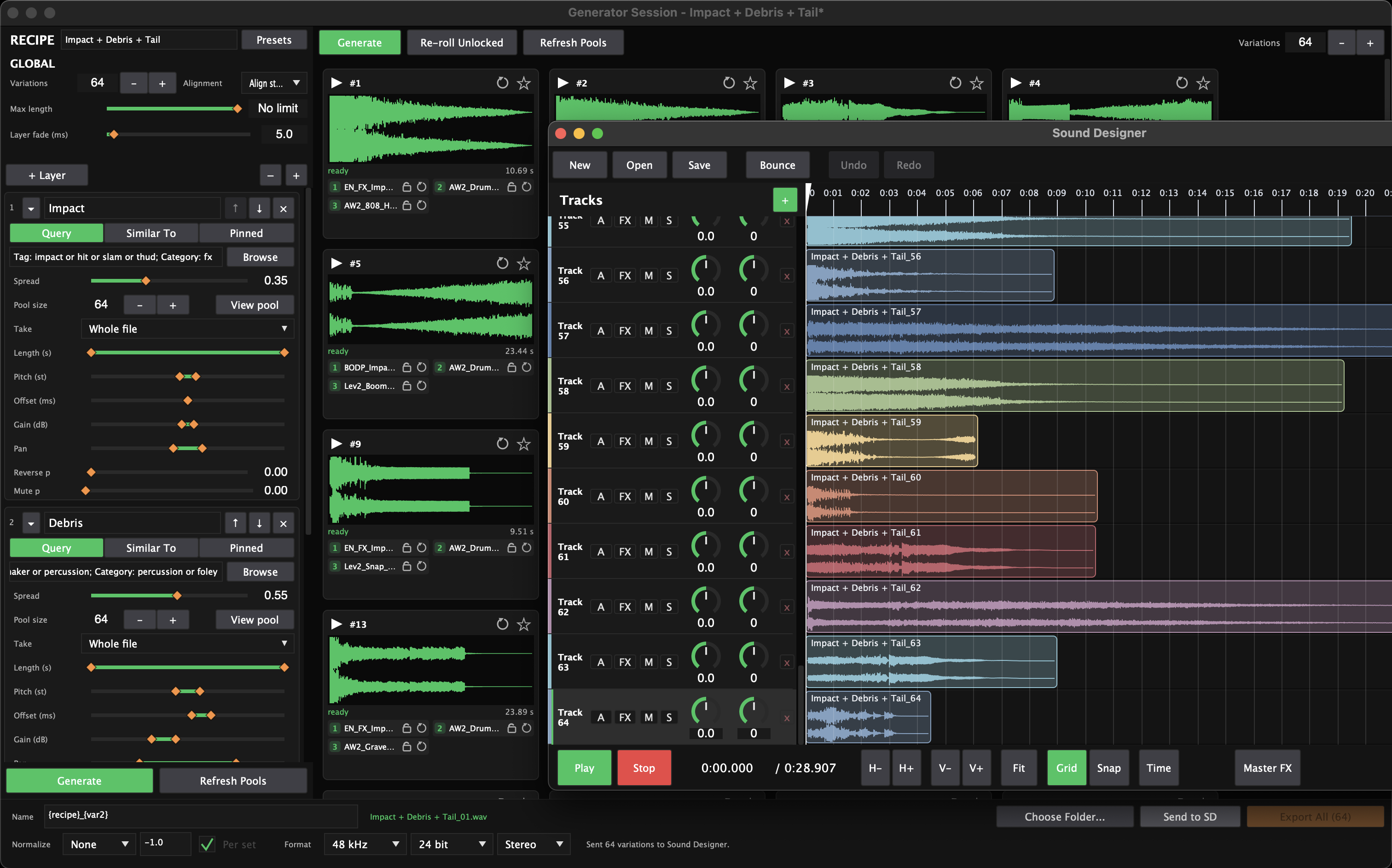
Sample Manager Pro is three tools in one focused app. The Library organizes and deeply analyzes your entire collection, so you can search by tempo, key, loudness, similarity, and other criteria, then do minor edits to any sample without ever leaving the browser. The Sound Designer is a multi-track audio-editing workstation for stacking samples into finished patches, with AU/VST3 effects and drawable automation. The Generator renders whole grids of new sounds from a recipe — built entirely from your own library.
Until now that took a sample browser, an audio editor, and a design tool glued together with exports and imports. In Sample Manager Pro it's one cohesive workflow: the sound you just found is one click from being edited, layered, or regenerated into something new. Buy it once, own it forever. Fully offline after a one-time activation. No subscription, no account, no DAW required.
One-time purchase
$99 intro (reg. $129)
Tax calculated at checkout.
Try Sample Manager Free first →- The Library — deep DSP analysis (tempo, pitch, transients, LUFS) with an Audio Health check on every sample
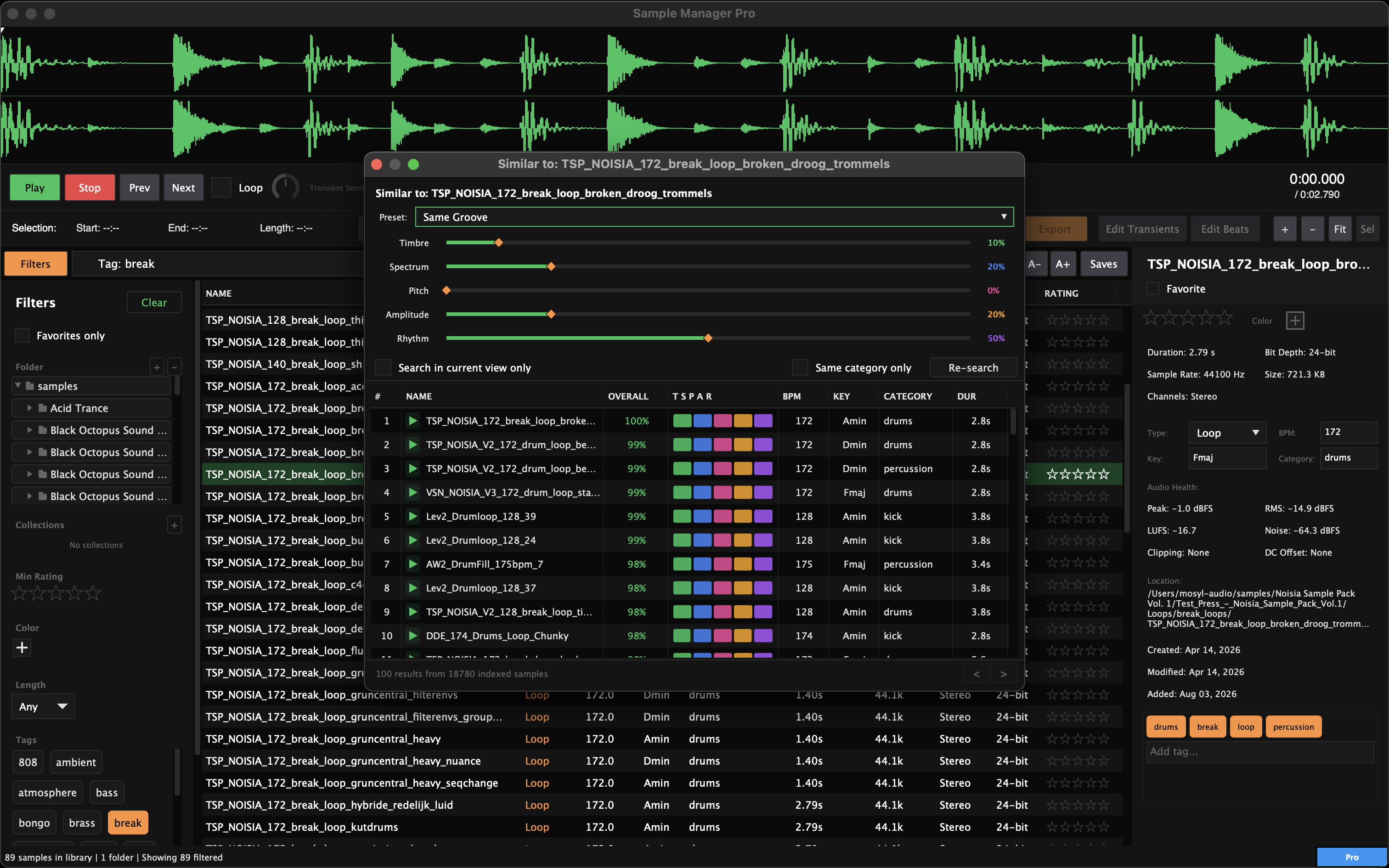
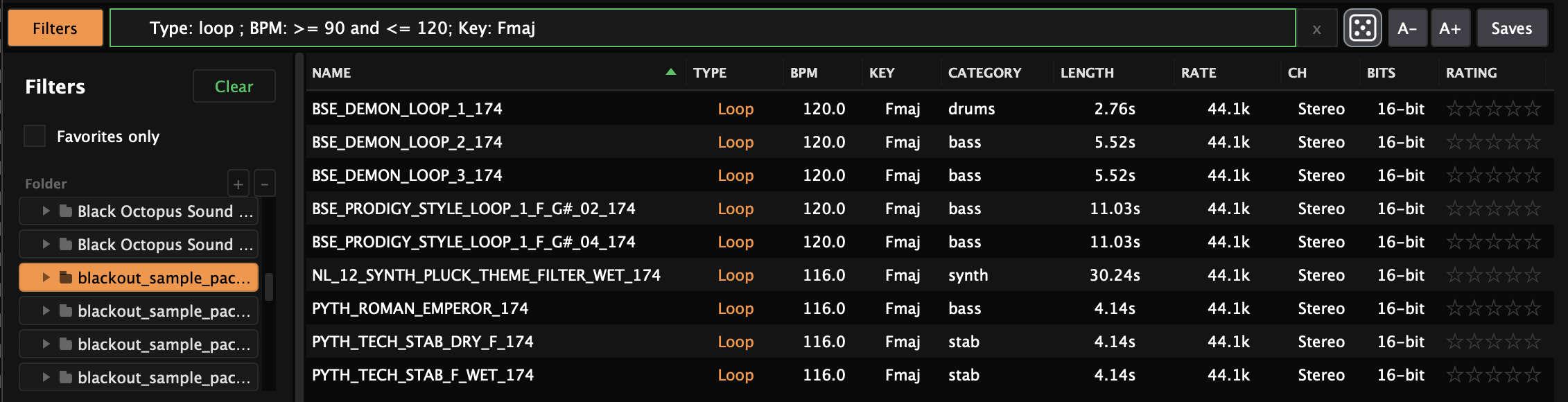
- The Library — database-style search, Saved Searches, Collections, and one-click Find Similar
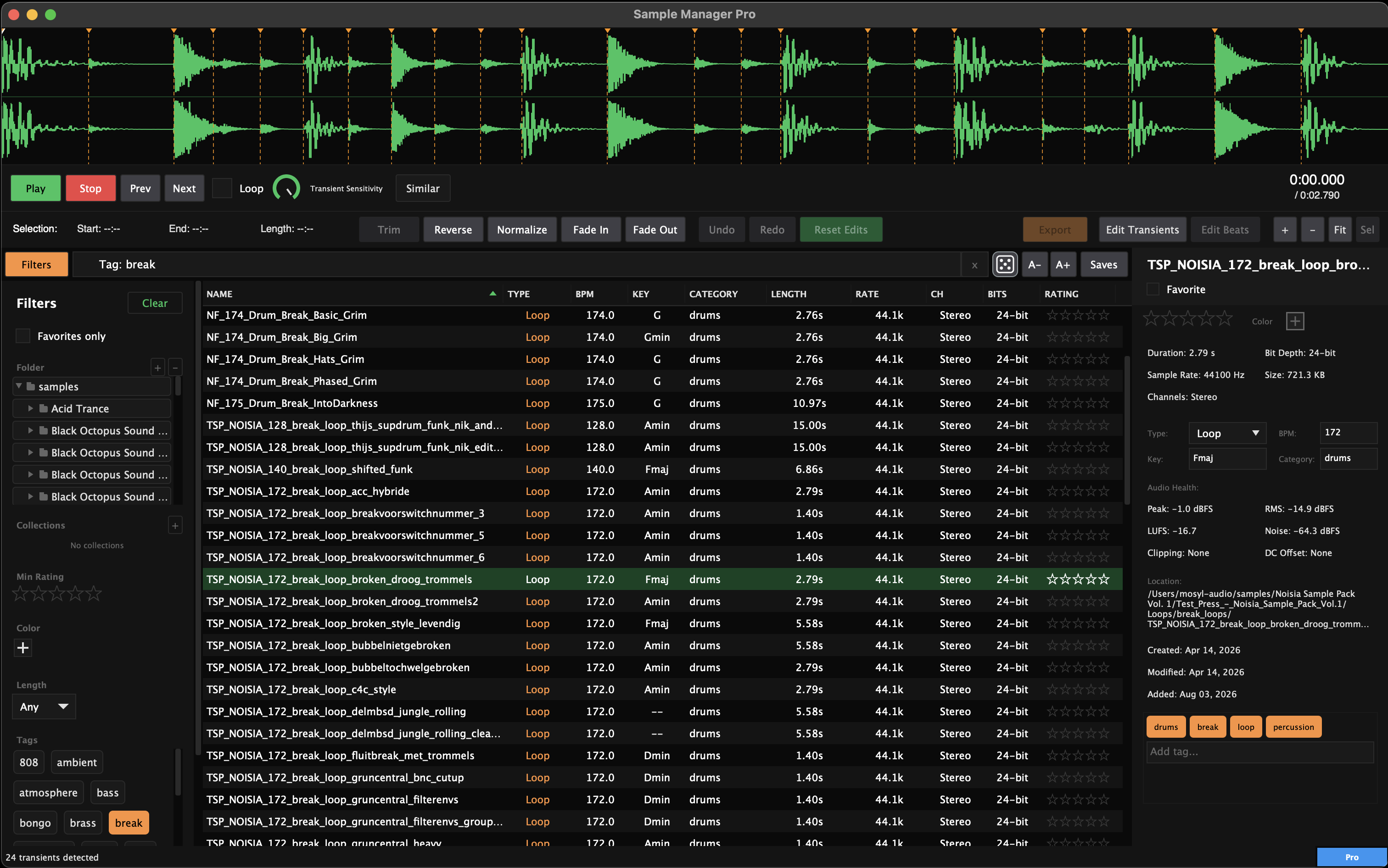
- The Library — non-destructive waveform editor: trim, fade, normalize, transient markers, extract a loop into one-shots
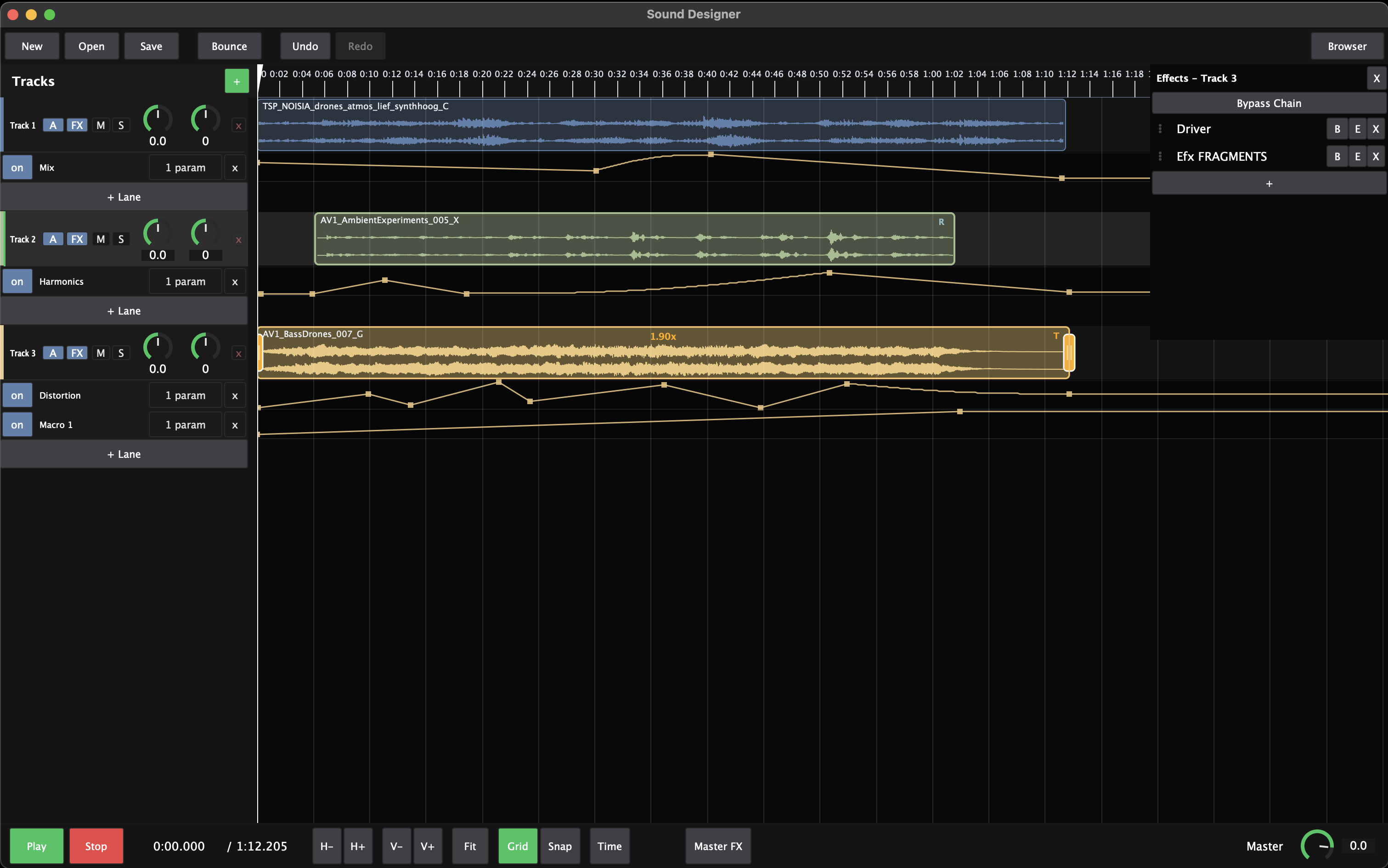
- Sound Designer — multi-track audio workstation with per-layer pitch, stretch, ADSR, and other effects
- Sound Designer — AU/VST3 effect chains with track automation lanes, rendered into every bounce
- Generator — describe a sound as layers and render up to 64 variations from your own library
- Generator — lock what works, re-roll the rest; deterministic, so keepers never change
- Pack Creator, UCS bulk rename, and batch tools to ship what you make
- Perpetual license — buy once, fully offline after one-time activation
WHAT MAKES IT DIFFERENT
Three-in-One App
A sample browser, an audio editor, and a sound-design tool usually means three apps glued together with exports and imports. Sample Manager Pro is the whole workflow under one roof.
Edit Where You Manage
The sound you just found is one double-click from trimmed, sliced, layered, or regenerated. No bouncing between tools, no re-importing — finding and making are the same motion.
Organize. Create. Use.
The Library organizes and analyzes, the Sound Designer and Generator create, and everything you make lands back in your library, tagged and ready to drag into any project.
A Category of Its Own
Library managers stop at browsing. Pro's Sound Designer and Generator design and render new sounds from the samples you already own — no other sample manager goes there.
Your Files Are Never Touched
Every edit — trims, fades, envelopes, effects, and automation — is non-destructive. Originals stay pristine until you explicitly export.
Buy Once. Own Forever.
A perpetual license with a one-time activation, fully offline after that. No subscription, no account, no cloud lock-in.
KEY FEATURES
Search That Understands Audio
Deep analysis listens to every sample — tempo, pitch, transients, loudness, spectral balance — so you can query like a database, flag unhealthy files, and turn one good sound into ten with Find Similar.

Edit Without Leaving
Trim, reverse, normalize, fade, and strip silence non-destructively, right in the Library. Auto-detect transients and extract every slice — a drum loop becomes a folder of one-shots in one step.
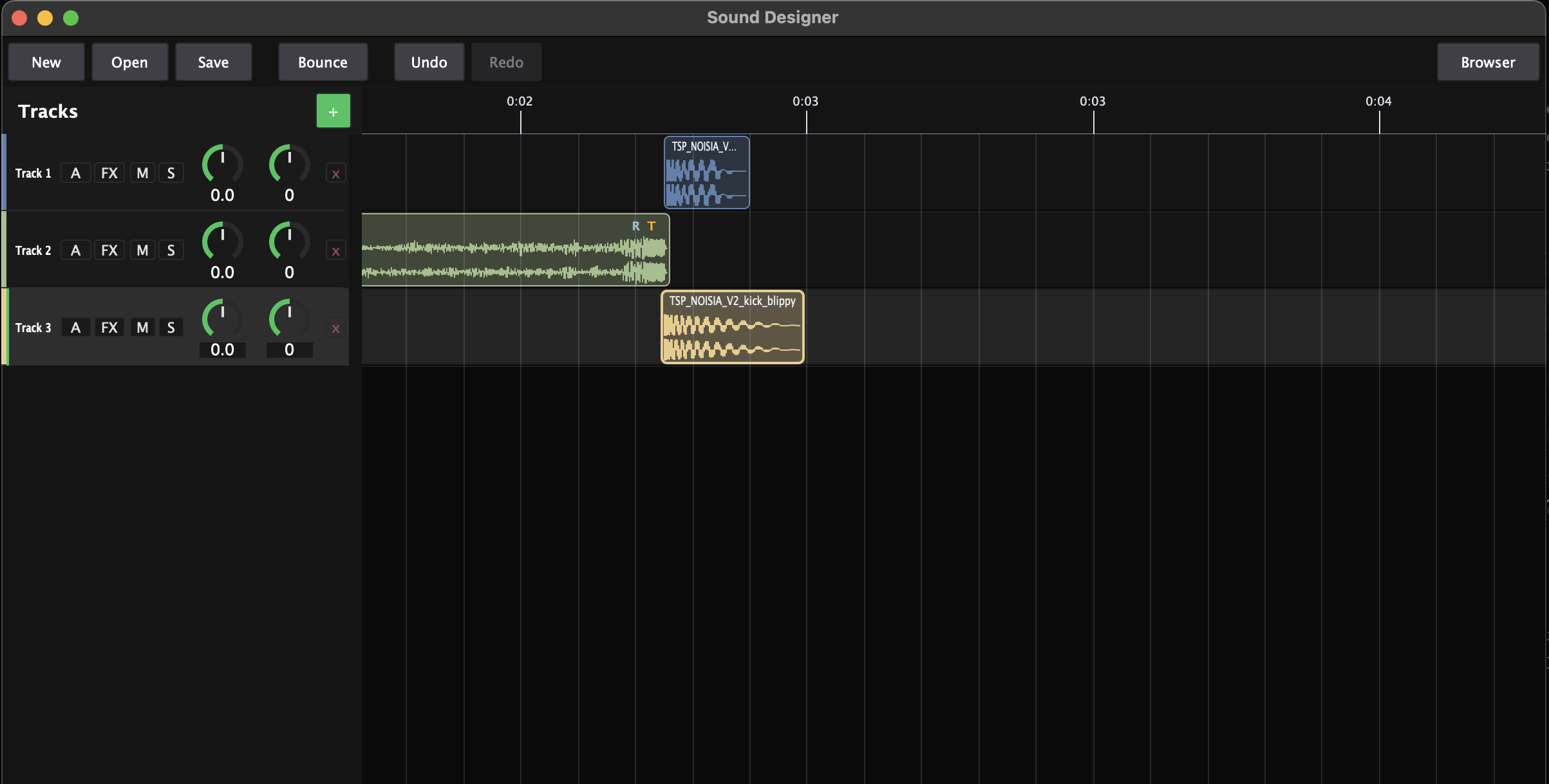
Stack Samples into Patches
A multi-track workstation beside your library: layer sounds with per-layer pitch shift, time stretch, ADSR envelopes, and other effects, then export the whole patch to a brand-new sample.
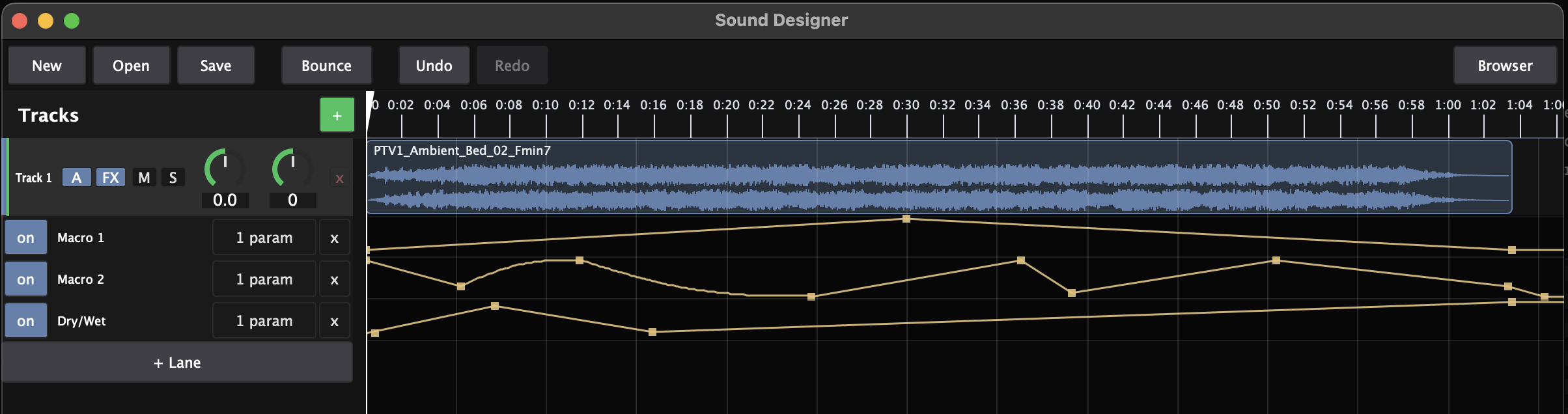
Effects & Drawable Automation
Load AU/VST3 plugins on every track and the master bus, assign automation straight from any plugin's window, bend the curves by hand, and bounce with the automation rendered in.
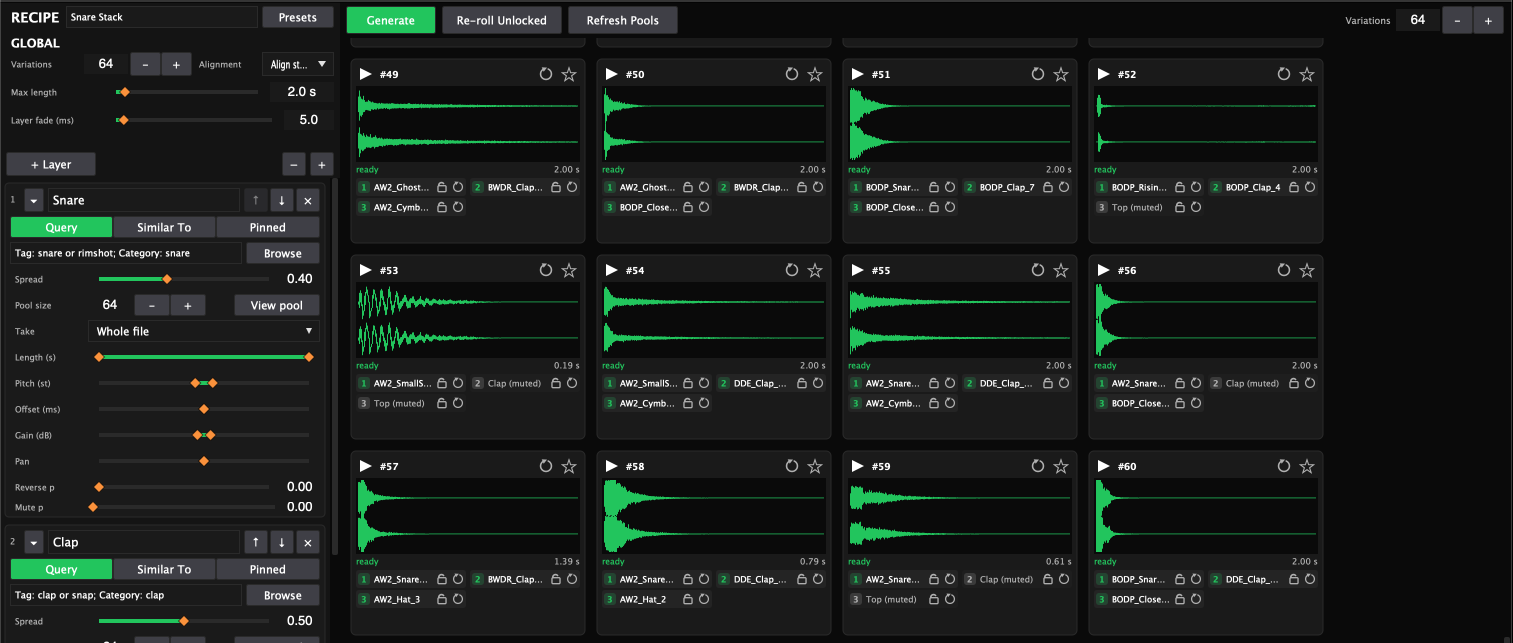
Describe a Sound, Get 64
Define a sound as up to 8 layers — each sourced by a search, a similar-to reference, or pinned files. Then set ranges instead of values, and render a grid of variations from your own samples.
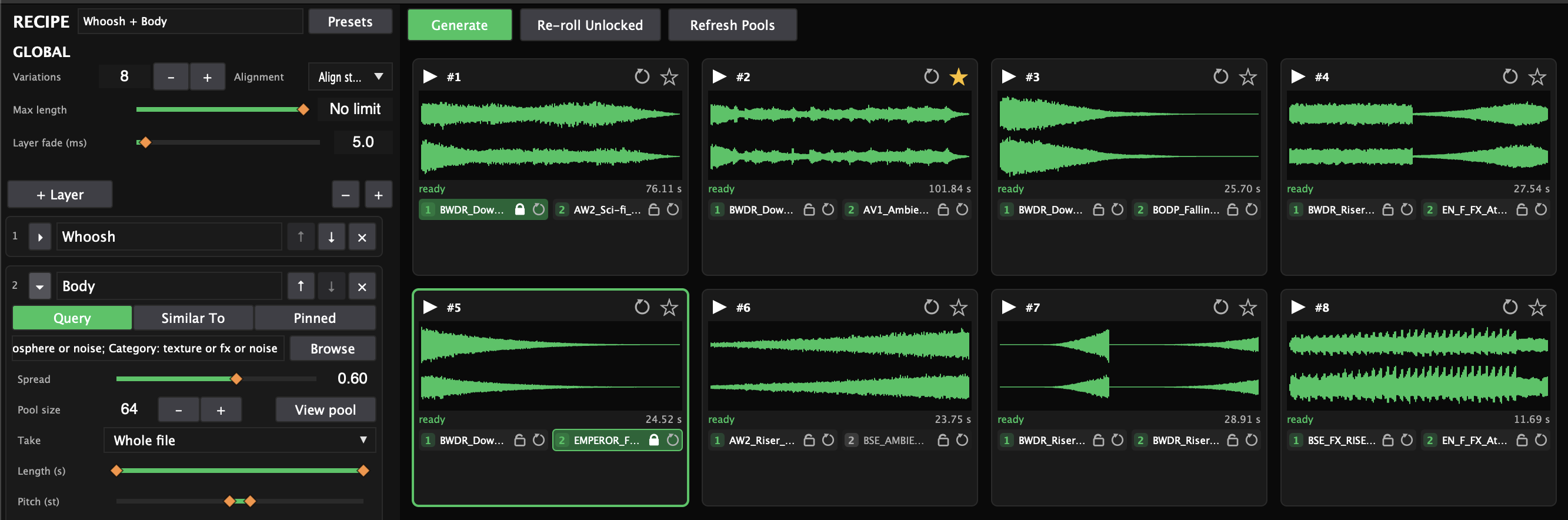
Lock & Re-roll
Keep the layer that works, re-roll everything else. Renders are deterministic — the same recipe and seed always give the same audio, so keepers never change behind your back.
ADDITIONAL FEATURES
- Handles 100,000+ samples without slowdown — full-text search, background scanning, file watching.
- Structured query language across BPM, key, length, loudness, UCS fields, and a
healthyfilter. - Saved Searches and Collections for instant recall of the sounds you actually use.
- Full metadata editor with batch editing and embed-back-to-file (iXML/UCS, bext, ACID, ID3).
- Bulk rename to UCS conventions with live preview and undoable Rename History.
- Pack Creator — playable packs with key zones, exported to a folder or as SFZ or Decent Sampler formats.
- Track automation lanes: one bendable curve can drive multiple plugin parameters, each with its own range.
- Bounce master mix, stems, tracks, or clips — automation rendered in — with optional re-import.
- Stretch, cut, glue, and mangle audio into your own samples.
- Exports with naming templates, Peak/LUFS normalization, and provenance embedded in every WAV.
- Factory recipes to start from; save your own as
.smrecipepresets. - Finished sounds import back into the Library — analyzed, tagged, and searchable immediately.
- Format conversion: WAV, AIFF, FLAC, OGG, AAC (macOS & Windows), and MP3 (LAME - https://lame.sourceforge.io/).
- Crash recovery, autosave, and 100-step undo in the creative workstations.
- Fully offline, keyboard-first, dark Command Center UI.
KEYBOARD SHORTCUTS
Everything you need, right at your fingertips.
PLATFORM SUPPORT
The Linux build is provided as an AppImage and .deb. It is only tested on Ubuntu with the GNOME desktop environment — other distributions and desktop environments may not be supported. The Sound Designer hosts AU (macOS) and VST3 plug-ins.
SYSTEM REQUIREMENTS
Minimum requirements. All platforms require 1280 × 720 or higher display.
- OSmacOS 11 Big Sur or later
- ArchIntel x86-64 or Apple Silicon
- RAM4 GB
- Download~30 MB (Universal Binary)
- Installed~50 MB
- AudioCoreAudio-compatible device
- OSWindows 10 or later (64-bit)
- Archx86-64
- RAM4 GB
- Download~30 MB
- Installed~50 MB
- AudioWASAPI or ASIO-compatible device
- Tested onUbuntu + GNOME only — other distros/environments may not be supported
- PackageAppImage or
.deb - Distroglibc ≥ 2.31 (Ubuntu 20.04+)
- Archx86-64
- RAM4 GB
- Download~30 MB
- Installed~50 MB
- AudioALSA (
libasound2) - DisplayX11 or XWayland
FREE VS PRO
Free is not a trial — it never expires. Upgrade whenever you're ready to create.
| Free | Pro | |
|---|---|---|
| The Library | ||
| Browser, scanning, file watching, tags / ratings / favorites | ✓ | ✓ |
| Fast analysis (filenames, folders, embedded metadata) | ✓ | ✓ |
| Audition + waveform display | ✓ | ✓ |
| Convert / export | — | ✓ |
| Deep DSP analysis + Audio Health | — | ✓ |
| Structured search, Saved Searches, Collections, Find Similar | — | ✓ |
| Waveform editor + extract-at-markers | — | ✓ |
| Metadata editor, bulk ops, UCS bulk rename, Pack Creator | — | ✓ |
| The Sound Designer | ||
| Multi-track patches, effects, automation | — | ✓ |
| The Generator | ||
| Recipe-driven variations from your library | — | ✓ |
| Price | Free forever | $99 intro (reg. $129), perpetual |
HOW IT WORKS
Instant Download
Download your software and license file immediately after purchase. No waiting. No approval queue.
Yours Forever
One-time purchase. No subscriptions. Fully offline after initial activation. Your license never expires.
Direct Support
Support direct from the developer. Not a ticket system. Easy bug reporting through GitHub.