Sample Manager
Your entire sample library. Instantly searchable. Always organized.
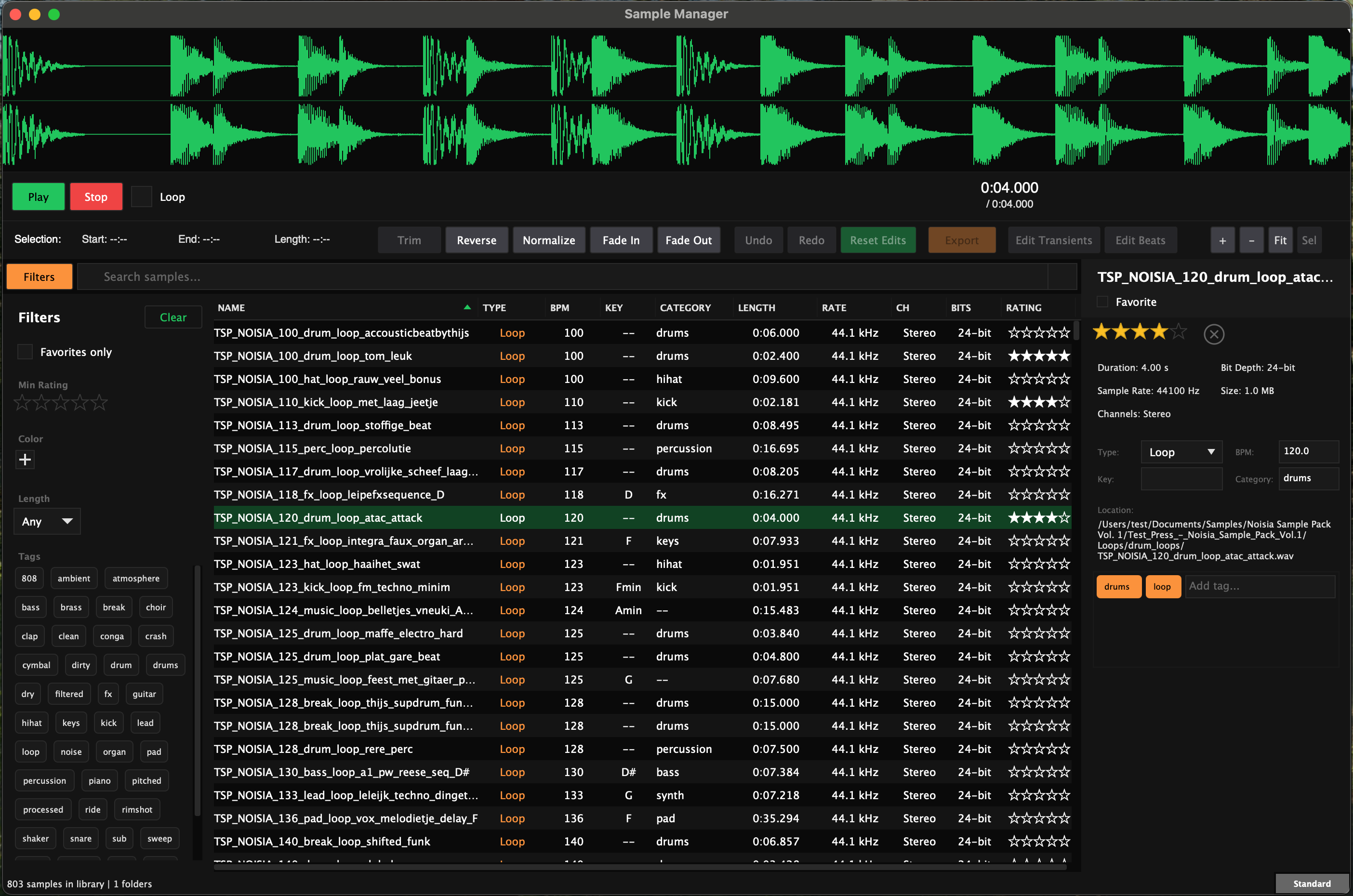
Sample Manager gives you fast, intelligent control over your sample library — built for producers, sound designers, and audio professionals who need to move quickly and stay organized.
Browse huge libraries without friction, analyze files automatically in the background, and edit waveforms with precision from a single dedicated desktop app. Smart two-pass analysis detects BPM, musical key, sample type, and category for you, so your library becomes searchable and usable without interrupting your workflow. A full non-destructive waveform editor lets you trim, reverse, normalize, fade, mark, and extract regions while keeping your original files untouched.
No cloud services. No recurring fees. No account required. Buy it once, own it permanently, and keep working fully offline after activation.
Be the first to know when Sample Manager launches. Enter your email and we'll notify you the moment it's available.
What's included
- Built to handle massive sample libraries — fast, smooth, and responsive
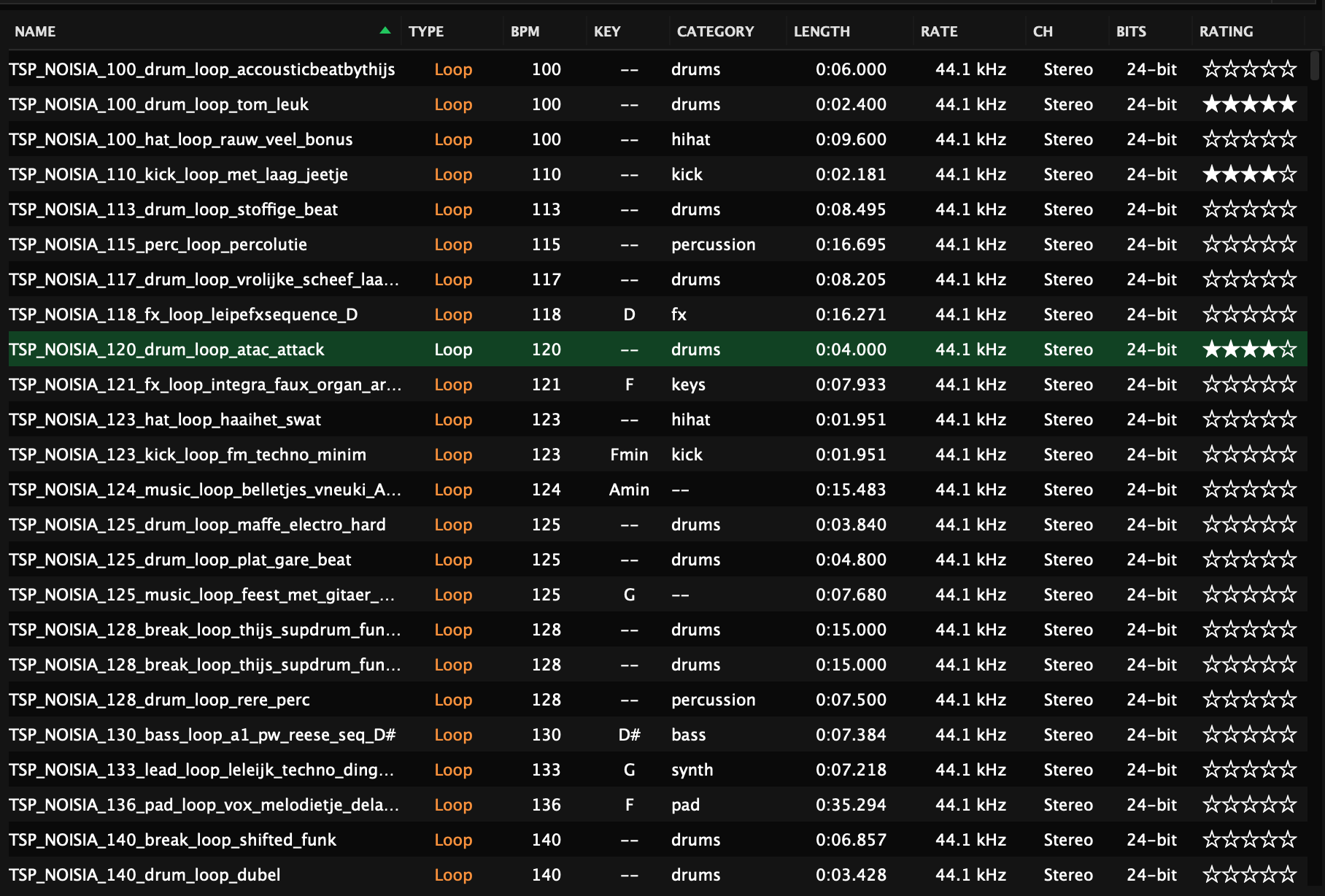
- Smart background analysis automatically detects BPM, key, category, and transients
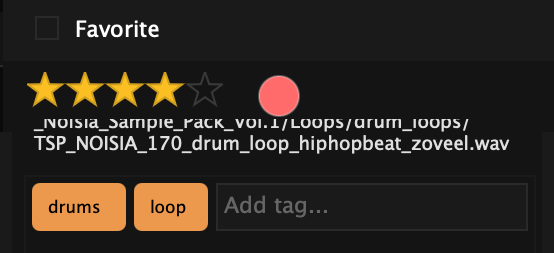
- Find any sound fast — rate, color-label, tag, and favorite your entire library
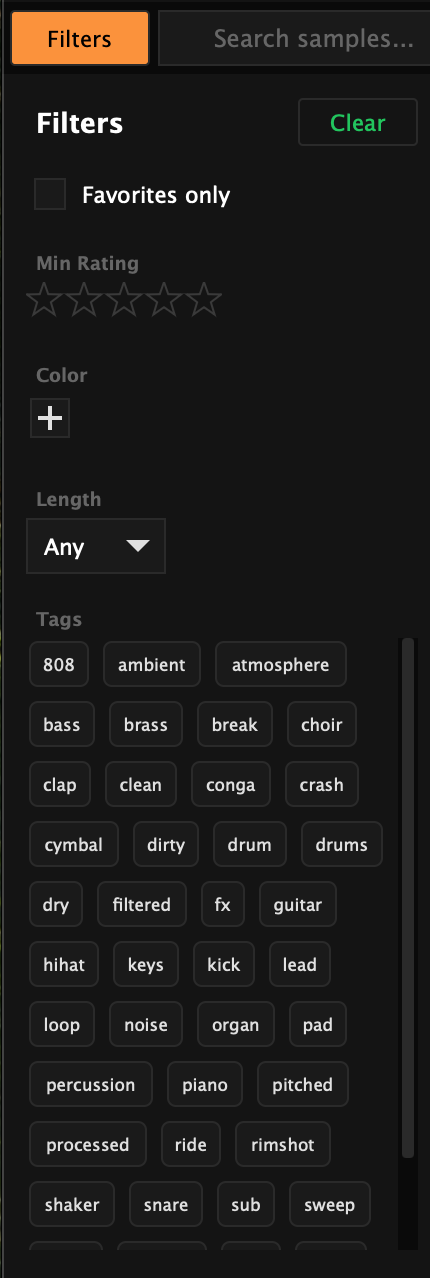
- Instant search and filtering by tag, rating, color, length, and favorites
- Non-destructive waveform editing — trim, reverse, normalize, and fade with confidence
- Slice samples with precision — add markers manually or auto-detect transients and beats, then export every region in one step
- Bi-directional drag and drop — import folders in seconds and drag samples straight into your DAW
- Supports WAV, AIFF, FLAC, and OGG
- Native macOS support — Linux and Windows in development
- Perpetual license — buy once, use fully offline after activation
What makes it different
No DAW required
A dedicated tool built specifically for sample workflow — fast browsing, smart organization, and precise editing without being buried inside a larger production environment.
Analysis in the background
Open the app and get to work immediately. Smart two-pass analysis catches up silently in the background, detecting BPM, key, category, transients, and more without interrupting the UI.
Non-destructive editing
Trim, reverse, normalize, fade, mark, and preview edits in real time while keeping the original file untouched until you choose to export.
Great keyboard workflow
Browse, preview, rate, tag, and favorite your library quickly with minimal mouse use, so you stay in flow while moving through large collections.
Fully offline
No cloud sync, no recurring subscription, and no account required after activation. Your library stays on your machine, under your control.
Deep analysis built in
Go beyond basic metadata with built-in audio analysis including transients, spectral data, dynamics, clipping, DC offset detection, and more — all included.
Key features
Fast sample browsing
Navigate massive libraries smoothly with search, filtering, and instant preview.
Smart organization
Rate, tag, color-label, and favorite your samples so the right sound is always easy to find.

Powerful waveform editing
Trim, reverse, normalize, add fades, place markers, and edit non-destructively.

Advanced slicing and extraction
Place markers manually or auto-detect beats and transients, then export every region in one step.
Automatic audio analysis
BPM, musical key, category, transients, and deep audio metrics are detected in the background.
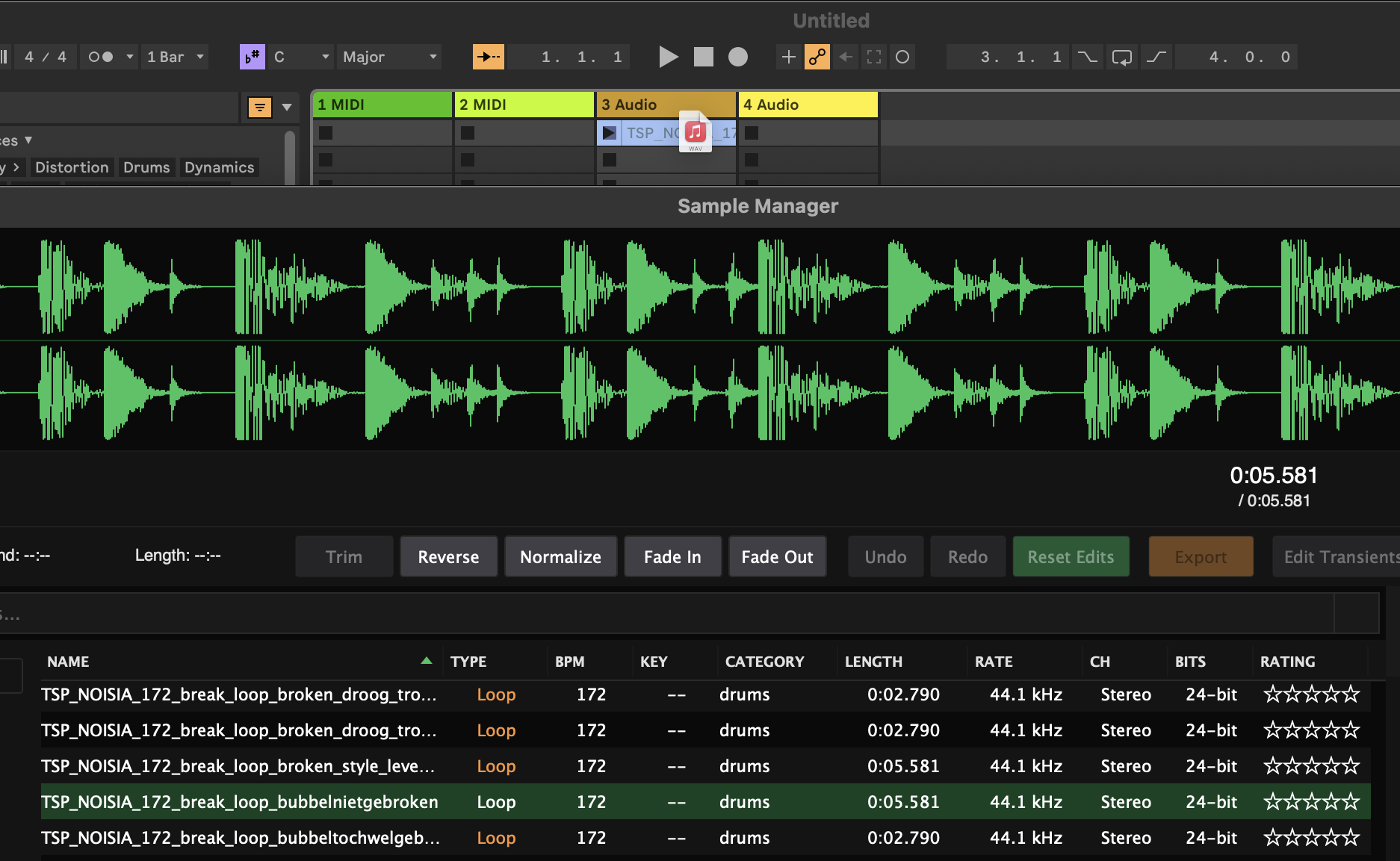
Drag-and-drop workflow
Import folders quickly and drag finished samples directly into your DAW.
Keyboard shortcuts
Everything you need, right at your fingertips.
Platform support
macOS
Linux
In DevelopmentWindows
In DevelopmentInstant Delivery
Download immediately after purchase. No waiting.
Yours Forever
One-time purchase. No subscriptions. Fully offline past initial activation.
Pro Support
Direct support from the developer. Easy bug reporting.